
March 2026 – EMIS Newsletter
Topics
A message from our team
Hello!
Welcome to this month’s newsletter. As we approach the end of the financial year, make sure to read over our QOF hints and tips and review our support materials via our Knowledge Base. It’s also an important time to be running our 004 GP Contract Pro searches within your system looking out for our data quality searches. We know customers are keen to get information on the new QOF requirements for 2026/27. As usual we will provide updates on our website as soon as they are available and look out for our webinars explaining QOF and other contract changes in April and May.
At this time of year, we often see ICBs release new LES specifications. If you have any of these landing, please let us know so we can ensure resources remain accurate and up-to-date.
Best Wishes,
James (Customer Experience Manager)
Welcome to this month’s newsletter. As we approach the end of the financial year, make sure to read over our QOF hints and tips and review our support materials via our Knowledge Base. It’s also an important time to be running our 004 GP Contract Pro searches within your system looking out for our data quality searches. We know customers are keen to get information on the new QOF requirements for 2026/27. As usual we will provide updates on our website as soon as they are available and look out for our webinars explaining QOF and other contract changes in April and May.
At this time of year, we often see ICBs release new LES specifications. If you have any of these landing, please let us know so we can ensure resources remain accurate and up-to-date.
Best Wishes,
James (Customer Experience Manager)
PCIT Updates
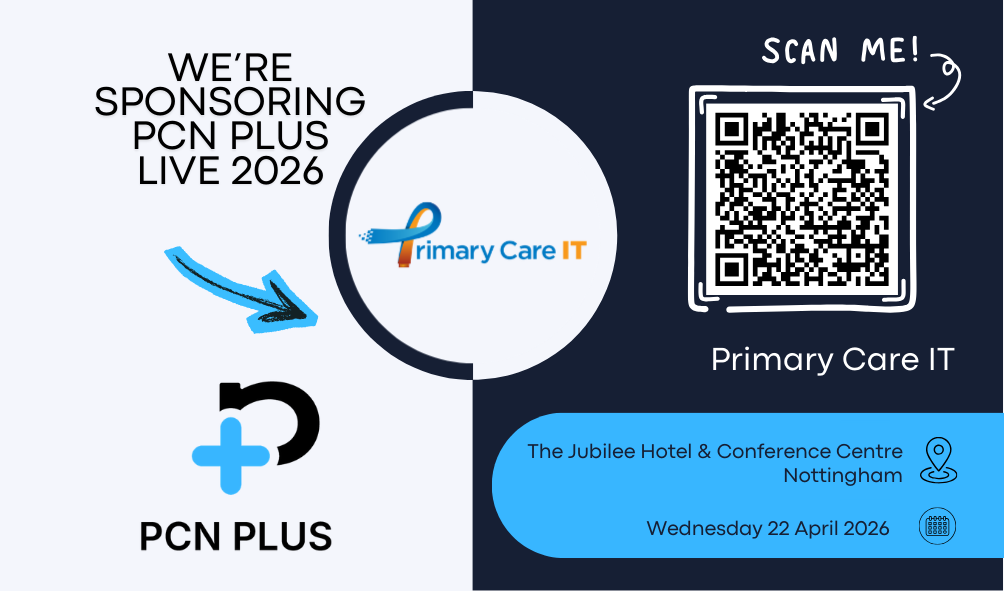
We‘re sponsoring and exhibiting at PCN Plus Live!
Join us at the event to learn more about how we support primary care networks with innovative solutions, improve practice efficiency, and enhance patient care.
📍 Location: The Jubilee Hotel & Conference Centre, Nottingham
📅 Date: Wednesday 22nd April 2026
We look forward to connecting with you—come and meet the team! Read more about PCN Plus Live here.
📍 Location: The Jubilee Hotel & Conference Centre, Nottingham
📅 Date: Wednesday 22nd April 2026
We look forward to connecting with you—come and meet the team! Read more about PCN Plus Live here.
✏️ End of year hints and tips!
Back in January we started sending out a series of hint & tip guides to achieving QOF points in Q4. If you missed the first 5 in this series, you can access them below:
🔵 Planning to Maximise your QOF Potential in Q4
🔵 Using our Searches to Maximise QOF Potential in Q4
🔵 Achieving BP Indicators
🔵 QOF Indicators Requiring Blood Tests
🔵 Achieving Time Sensitive Indicators
Make sure you are registered on our website to receive these moving forward if you haven’t already!
🔵 Planning to Maximise your QOF Potential in Q4
🔵 Using our Searches to Maximise QOF Potential in Q4
🔵 Achieving BP Indicators
🔵 QOF Indicators Requiring Blood Tests
🔵 Achieving Time Sensitive Indicators
Make sure you are registered on our website to receive these moving forward if you haven’t already!
Resource Releases & Updates
🦠 COVID Spring Booster Vaccinations
Searches to support the COVID Spring 2026 campaign have now been updated for folder 005. This includes recall searches and communication placeholders to give practices the report they need for their batch messaging provider.
Please note that the folders within 005 have been restructured and historic COVID vaccination searches have been removed. This should make it easier for practices to identify the searches needed for different elements of the campaign especially given the move from PCN to practice level administration.
Full information on the updated 005 search folder and the new subfolders can be found in our support articles 005 COVID vaccination programme: Overview
PCIT is aware of requests for a protocol and template given the move from Pinnacle to EMIS for recording vaccination. Development work is underway for these however deployment may depend on Optum’s release of COVID resources to ensure they are providing the correct information for payment. As technical information about the process for claims via EMIS has not yet been published and CQRS business rules are not yet available these may need to be updated once more information is available.
Please note that the folders within 005 have been restructured and historic COVID vaccination searches have been removed. This should make it easier for practices to identify the searches needed for different elements of the campaign especially given the move from PCN to practice level administration.
Full information on the updated 005 search folder and the new subfolders can be found in our support articles 005 COVID vaccination programme: Overview
PCIT is aware of requests for a protocol and template given the move from Pinnacle to EMIS for recording vaccination. Development work is underway for these however deployment may depend on Optum’s release of COVID resources to ensure they are providing the correct information for payment. As technical information about the process for claims via EMIS has not yet been published and CQRS business rules are not yet available these may need to be updated once more information is available.
💉 RSV Searches
New searches have been released this month in folder 034 to support the expansion of the RSV vaccination programme to those aged 80+ and residents in care homes for older adults. These searches should be used to invite patients for clinics from 1st April 2026 onwards. It is important to make sure that any patients vaccinated before 1st April are in the original cohort (those born prior to 1st September 1944 need to be booked in for 1st April onwards for the practice to be able to claim for those vaccines) to avoid missing out on payment.
More information about the expansion to the programme is available here: Expansion of RSV vaccine eligibility to those aged 80 years and older and residents in care homes for older adults letter – GOV.UK
Please see our support article for more information about using the new searches including important information about reviewing care home patients to ensure vaccinations are in line with the criteria: 034D Eligible for RSV vaccination searches
Note that the ES business rules for CQRS have not yet been published. This means that the CQRS folder for RSV does not yet include the new cohorts and we have not been able to check eligibility against these business rules. Once the updated business rules are published all resources will be reviewed and updated as appropriate.
More information about the expansion to the programme is available here: Expansion of RSV vaccine eligibility to those aged 80 years and older and residents in care homes for older adults letter – GOV.UK
Please see our support article for more information about using the new searches including important information about reviewing care home patients to ensure vaccinations are in line with the criteria: 034D Eligible for RSV vaccination searches
Note that the ES business rules for CQRS have not yet been published. This means that the CQRS folder for RSV does not yet include the new cohorts and we have not been able to check eligibility against these business rules. Once the updated business rules are published all resources will be reviewed and updated as appropriate.
🔍 March Search Rollout
This month we’re rolling out changes to several of our folders, those folders are as follows:
🔵 001 CQRS
🔵 005 Covid Vaccination Programme
🔵 025 PCN DES
🔵 032 CQC Navigator
🔵 034 Eligibility
🔵 001 CQRS
🔵 005 Covid Vaccination Programme
🔵 025 PCN DES
🔵 032 CQC Navigator
🔵 034 Eligibility
🖥️ OneTemplate Additional Roles
The OneTemplate Additional Roles has been updated with a brand new version of the Dietitian page based on feedback from colleagues using this on a day to day basis.
Changes have been designed to improve the flow of the page, elements that were felt to be unnecessary have been removed and the more detailed PAL scoring section has been moved to the Common Tools page along with the addition of GPPAQ.
Changes have been designed to improve the flow of the page, elements that were felt to be unnecessary have been removed and the more detailed PAL scoring section has been moved to the Common Tools page along with the addition of GPPAQ.
📊 New OneAnalytics Platform
Towards the end of 2025 we have launched our updated OneAnalytics portal! What’s new: A modern user interface with improved performance and usability, stronger Security though Two-Factor Authentication (2FA) and Local access management for faster updates and improved control.
As part of the launch of the new platform, your organisation will now manage its own user access directly. You should have now been contacted if you have been identified as the designated Organisation Administrator for this platform.
Two-Factor Authentication (2FA) will now be enforced for all users. Please note: Generic logins are no longer supported.
For further details and support on using the platform, please see our Knowledge Base.
As part of the launch of the new platform, your organisation will now manage its own user access directly. You should have now been contacted if you have been identified as the designated Organisation Administrator for this platform.
Two-Factor Authentication (2FA) will now be enforced for all users. Please note: Generic logins are no longer supported.
For further details and support on using the platform, please see our Knowledge Base.
FAQs, Training & more
Wanting to use our searches?
We have a full suite of searches available for practice use. You can find your current searches readily installed in your system by going to Population Reporting & opening the “! Primary Care IT” folder.
It’s important to note we go into practice systems and update these as frequently as possible. For further information on our searches, click here. See our guide to know the latest changes to our searches here.
Queries about CQC Navigator?
CQC inspection teams use a set of searches which have been designed to help them to understand how a Practice manages their patient population, and to identify clinical situations which should not be happening. To support with this, Primary Care IT has adapted these searches to help practices understand what might need to be addressed before a CQC inspector finds it.
We recommend checking our CQC Navigator FAQ guide here. If you have any questions after reading the article, please raise a ticket with us for support.
How do I raise a support ticket?
If you ever need to contact us for support, the best way to reach us is by creating a support ticket, you can do this here. These tickets are triaged internally and passed to the relevant member of our team to ensure your request or question is answered to the best of our ability. You can always chase the progress of your support tickets by calling our office (0333 344 3678) and providing your ticket reference number.
We have a full suite of searches available for practice use. You can find your current searches readily installed in your system by going to Population Reporting & opening the “! Primary Care IT” folder.
It’s important to note we go into practice systems and update these as frequently as possible. For further information on our searches, click here. See our guide to know the latest changes to our searches here.
Queries about CQC Navigator?
CQC inspection teams use a set of searches which have been designed to help them to understand how a Practice manages their patient population, and to identify clinical situations which should not be happening. To support with this, Primary Care IT has adapted these searches to help practices understand what might need to be addressed before a CQC inspector finds it.
We recommend checking our CQC Navigator FAQ guide here. If you have any questions after reading the article, please raise a ticket with us for support.
How do I raise a support ticket?
If you ever need to contact us for support, the best way to reach us is by creating a support ticket, you can do this here. These tickets are triaged internally and passed to the relevant member of our team to ensure your request or question is answered to the best of our ability. You can always chase the progress of your support tickets by calling our office (0333 344 3678) and providing your ticket reference number.