
March 2026 – SystmOne Newsletter
Topics
A message from our team
Hello!
Welcome to this month’s newsletter. As we approach the end of the financial year, make sure to read over our QOF hints and tips and review our support materials via our Knowledge Base. It’s also an important time to be running our 004 GP Contract Pro searches within your system looking out for our data quality searches. We know customers are keen to get information on the new QOF requirements for 2026/27. As usual we will provide updates on our website as soon as they are available and look out for our webinars explaining QOF and other contract changes in April and May.
At this time of year, we often see ICBs release new LES specifications. If you have any of these landing, please let us know so we can ensure resources remain accurate and up-to-date.
Best Wishes,
James (Customer Experience Manager)
Welcome to this month’s newsletter. As we approach the end of the financial year, make sure to read over our QOF hints and tips and review our support materials via our Knowledge Base. It’s also an important time to be running our 004 GP Contract Pro searches within your system looking out for our data quality searches. We know customers are keen to get information on the new QOF requirements for 2026/27. As usual we will provide updates on our website as soon as they are available and look out for our webinars explaining QOF and other contract changes in April and May.
At this time of year, we often see ICBs release new LES specifications. If you have any of these landing, please let us know so we can ensure resources remain accurate and up-to-date.
Best Wishes,
James (Customer Experience Manager)
PCIT Updates
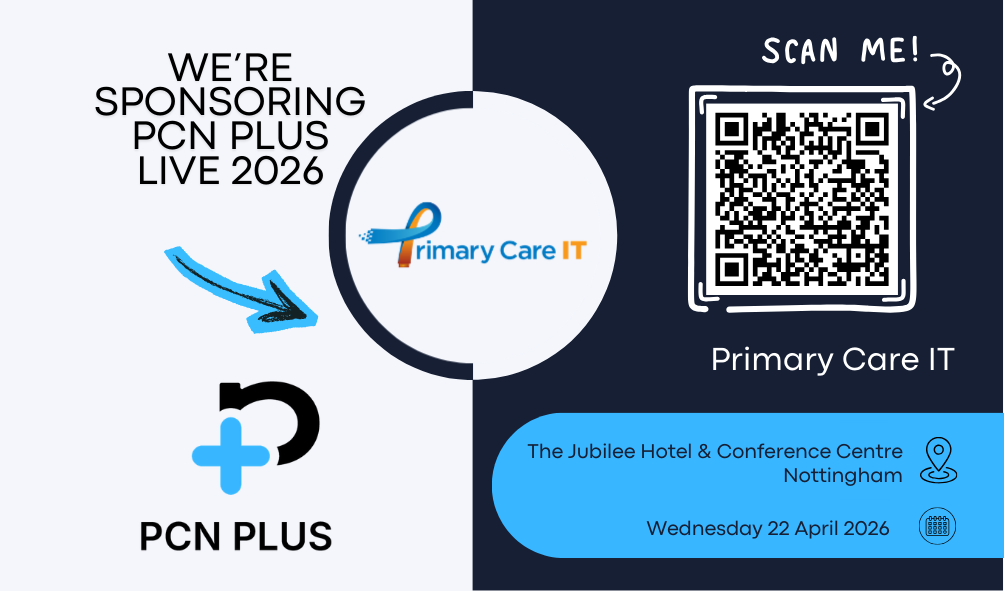
We‘re sponsoring and exhibiting at PCN Plus Live!
Join us at the event to learn more about how we support primary care networks with innovative solutions, improve practice efficiency, and enhance patient care.
📍 Location: The Jubilee Hotel & Conference Centre, Nottingham
📅 Date: Wednesday 22nd April 2026
We look forward to connecting with you—come and meet the team! Read more about PCN Plus Live here.
📍 Location: The Jubilee Hotel & Conference Centre, Nottingham
📅 Date: Wednesday 22nd April 2026
We look forward to connecting with you—come and meet the team! Read more about PCN Plus Live here.
✏️ End of year hints and tips!
Back in January we started sending out a series of hint & tip guides to achieving QOF points in Q4. If you missed the first 5 in this series, you can access them below:
🔵 Planning to Maximise your QOF Potential in Q4
🔵 Using our Searches to Maximise QOF Potential in Q4
🔵 Achieving BP Indicators
🔵 QOF Indicators Requiring Blood Tests
🔵 Achieving Time Sensitive Indicators
Make sure you are registered on our website to receive these moving forward if you haven’t already!
🔵 Planning to Maximise your QOF Potential in Q4
🔵 Using our Searches to Maximise QOF Potential in Q4
🔵 Achieving BP Indicators
🔵 QOF Indicators Requiring Blood Tests
🔵 Achieving Time Sensitive Indicators
Make sure you are registered on our website to receive these moving forward if you haven’t already!
Resource Releases & Updates
🦠 COVID Spring Booster Vaccinations
Searches to support the COVID Spring 2026 campaign are being worked on and we intend to have these ready for practices by the end of the coming week (w/c 23rd March). We will communicate out to practices once live.
❓ Clinical & Admin Questionnaires
We have introduced a new set of clinical questionnaires that can be sent through, Communication Annex, to patients using their preferred method of communication. These questionnaires allow patients to submit health information securely to their GP practice without needing a face-to-face appointment.
A wide range of questionnaires are available, including online consultation requests, medication reviews, pre-appointment questionnaires, contractual data collection (such as QOF or IIF), and remote monitoring submissions.
A wide range of questionnaires are available, including online consultation requests, medication reviews, pre-appointment questionnaires, contractual data collection (such as QOF or IIF), and remote monitoring submissions.
🆕 Template Design Update – all complete
We have completed the update of our templates with the new design. Alongside a more modern and streamlined layout, we have also improved the structure of the templates by adding clearer section headings and guidance.
The aim of this was to provide our customers with better visibility of the clinical coverage and helps clinicians quickly understand the purpose of each section.
The aim of this was to provide our customers with better visibility of the clinical coverage and helps clinicians quickly understand the purpose of each section.
🧒🏼 Suspected Cancer Referral Protocol: Task to Secretary
We have released the new Suspected Cancer Referral protocol. This protocol acts as a safety net to ensure that, when a consultation is closed, clinicians have appropriately safety-netted the patient for an urgent suspected cancer referral.
The protocol prompts clinicians to send a task to the secretarial team to process the referral and to check whether a message should be sent to the patient advising them to contact the practice if they have not heard anything within two weeks.
Read more about this in our support article.
The protocol prompts clinicians to send a task to the secretarial team to process the referral and to check whether a message should be sent to the patient advising them to contact the practice if they have not heard anything within two weeks.
Read more about this in our support article.
FAQs, Training & more
Wanting to use our searches?
We have a full suite of searches available for practice use. You can find your current searches readily installed in your system by going to Clinical Reporting & opening the “Primary Care IT” folder.
How do I raise a support ticket?
If you ever need to contact us for support, the best way to reach us is by creating a support ticket, you can do this here. These tickets are triaged internally and passed to the relevant member of our team to ensure your request or question is answered to the best of our ability. You can always chase the progress of your support tickets by calling our office (0333 344 3678) and providing your ticket reference number.
We have a full suite of searches available for practice use. You can find your current searches readily installed in your system by going to Clinical Reporting & opening the “Primary Care IT” folder.
How do I raise a support ticket?
If you ever need to contact us for support, the best way to reach us is by creating a support ticket, you can do this here. These tickets are triaged internally and passed to the relevant member of our team to ensure your request or question is answered to the best of our ability. You can always chase the progress of your support tickets by calling our office (0333 344 3678) and providing your ticket reference number.